Convert a PDF into flashcards
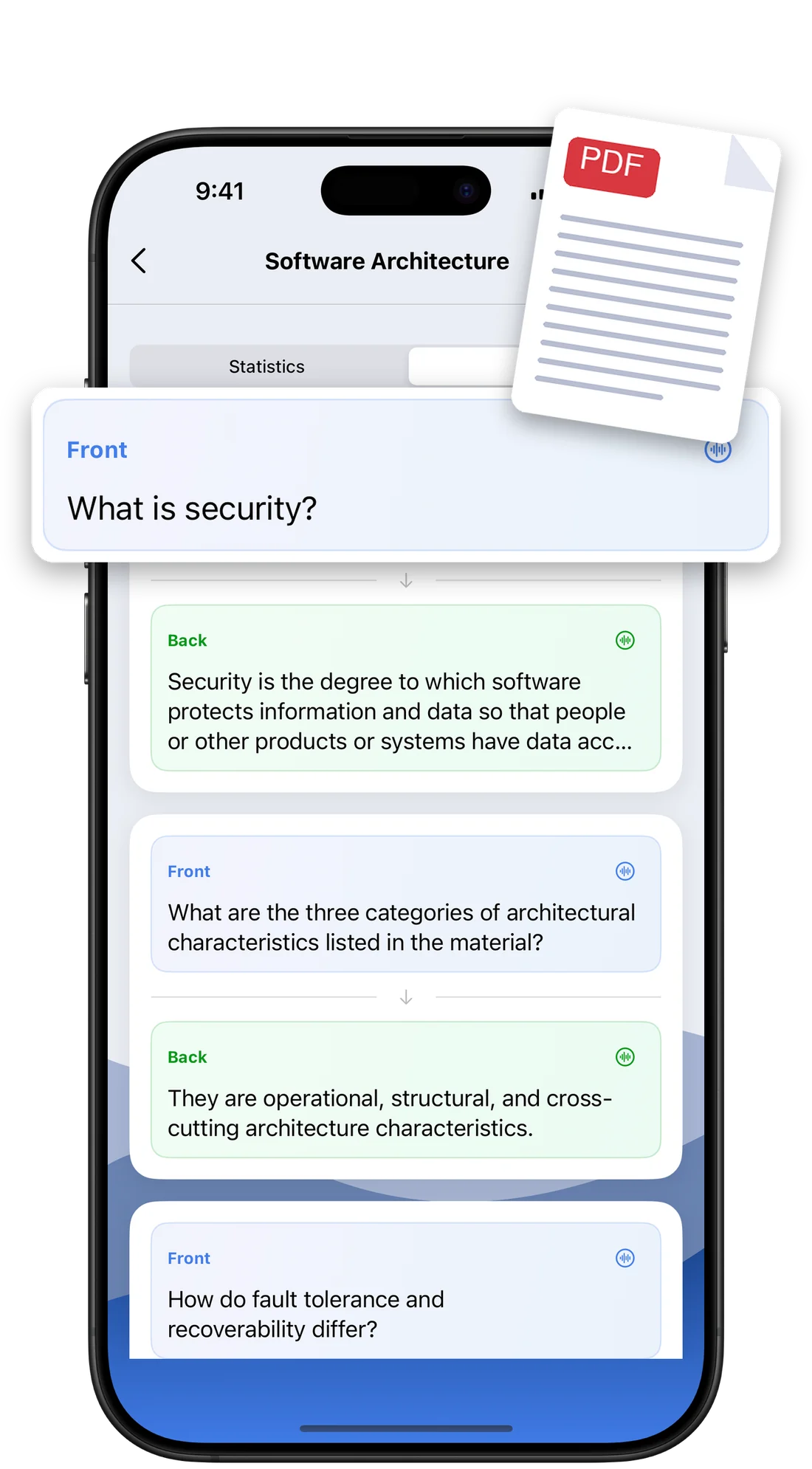
Import lecture notes, a handout or a textbook chapter and the AI pulls out the key ideas. You choose the type of content, and long documents are split automatically.
 Flashcards Master
Import your PDF, let AI create your cards, and review at the right time.
Students use it for every subject
Three steps, and the app handles the planning for you.
Pick a PDF (lecture notes, handout, textbook chapter) or type a topic like "Spanish vocabulary A2" or "Key dates of World War II".
Cards appear one by one as questions and answers, definitions, concepts or translations. You can still edit every card.
Flip the card, say how hard it was, and the FSRS algorithm schedules the next review for you.
 Caught red-handed
Answer 5 cards to open TikTok.
Review Not nowChoose the apps that eat your study time. When you open one, you get stopped: answer a few flashcards and the app unlocks for as long as you decided, so the urge to scroll turns into a quick review.
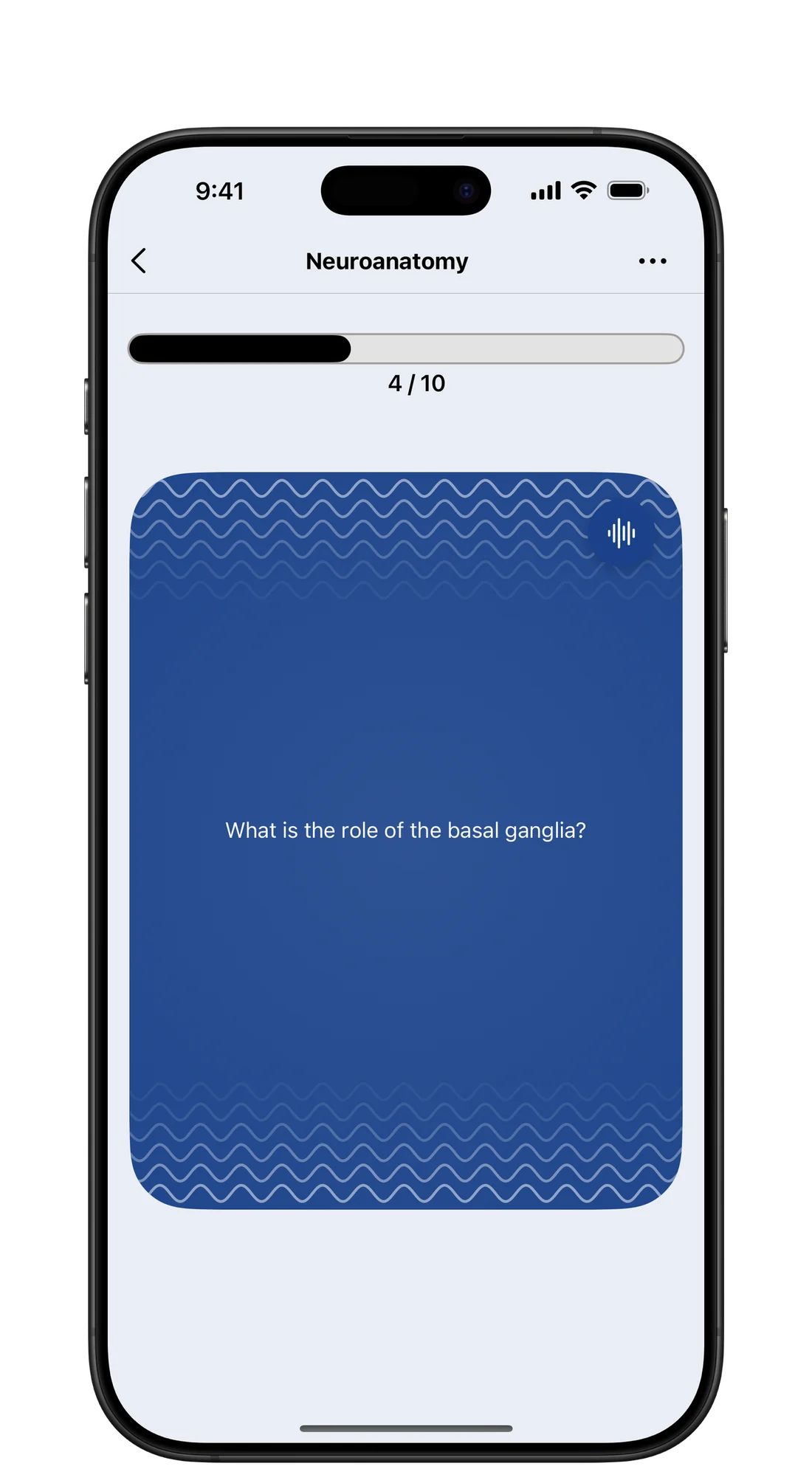
This is how a review session feels in the app. Tap the card to see the answer, then say how well you knew it, and we'll show it to you again right when you need it.
Tap the card to reveal the answer.
Automatic card creation and a proven review method, in an app for iPhone, iPad and Android.
Import lecture notes, a handout or a textbook chapter and the AI pulls out the key ideas. You choose the type of content, and long documents are split automatically.
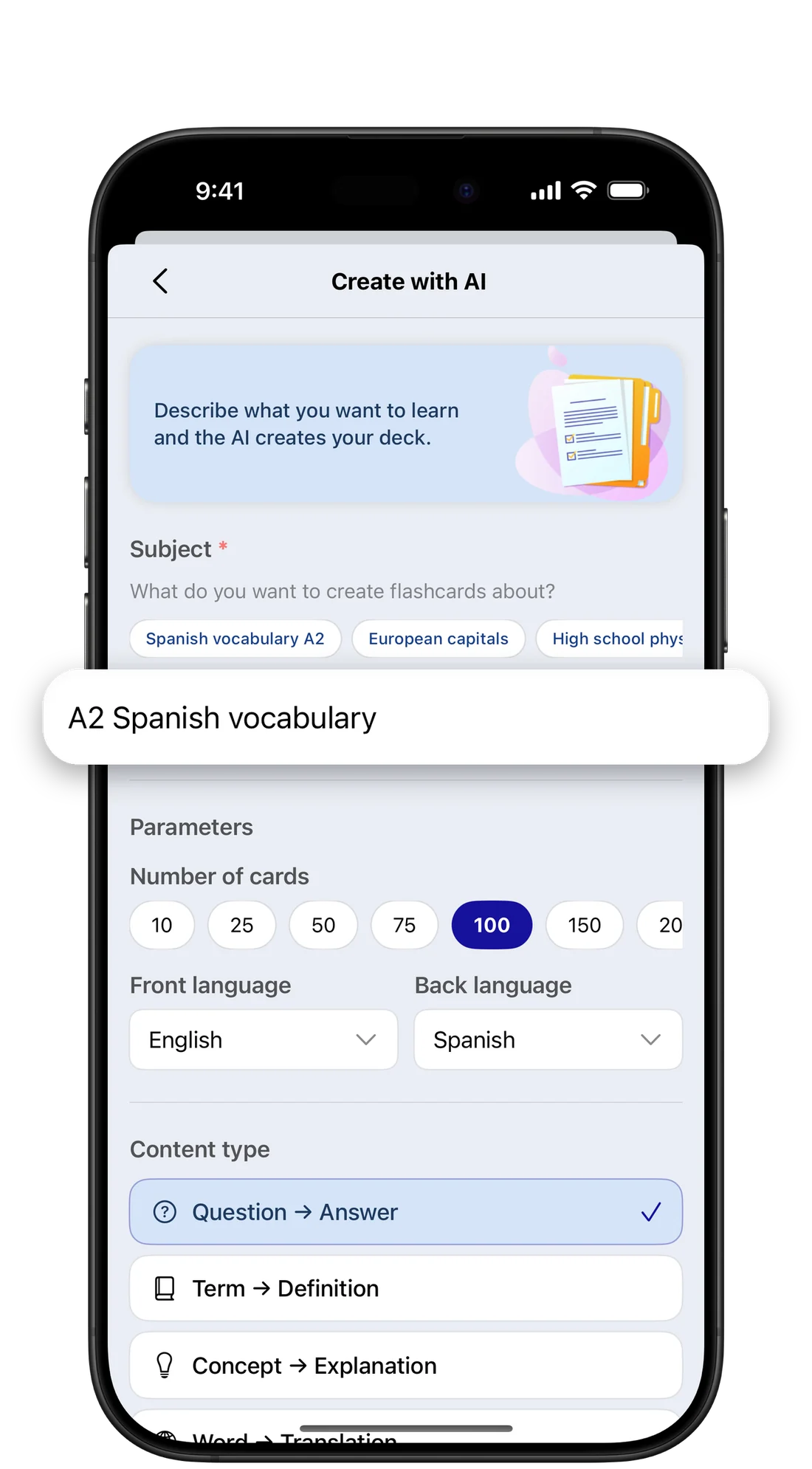
Describe the topic, pick 10 to 200 cards, the format, the difficulty and the front and back languages. Perfect for vocabulary.
Listen to every card, handy for languages and for reviewing on the go.
Write cards by hand with rich text and images, or edit the ones the AI made.
Question → Answer, Term → Definition, Concept → Explanation, Word → Translation.
The app works out the best moment to see each card again, so you spend less time on what you know and more on what you don't.
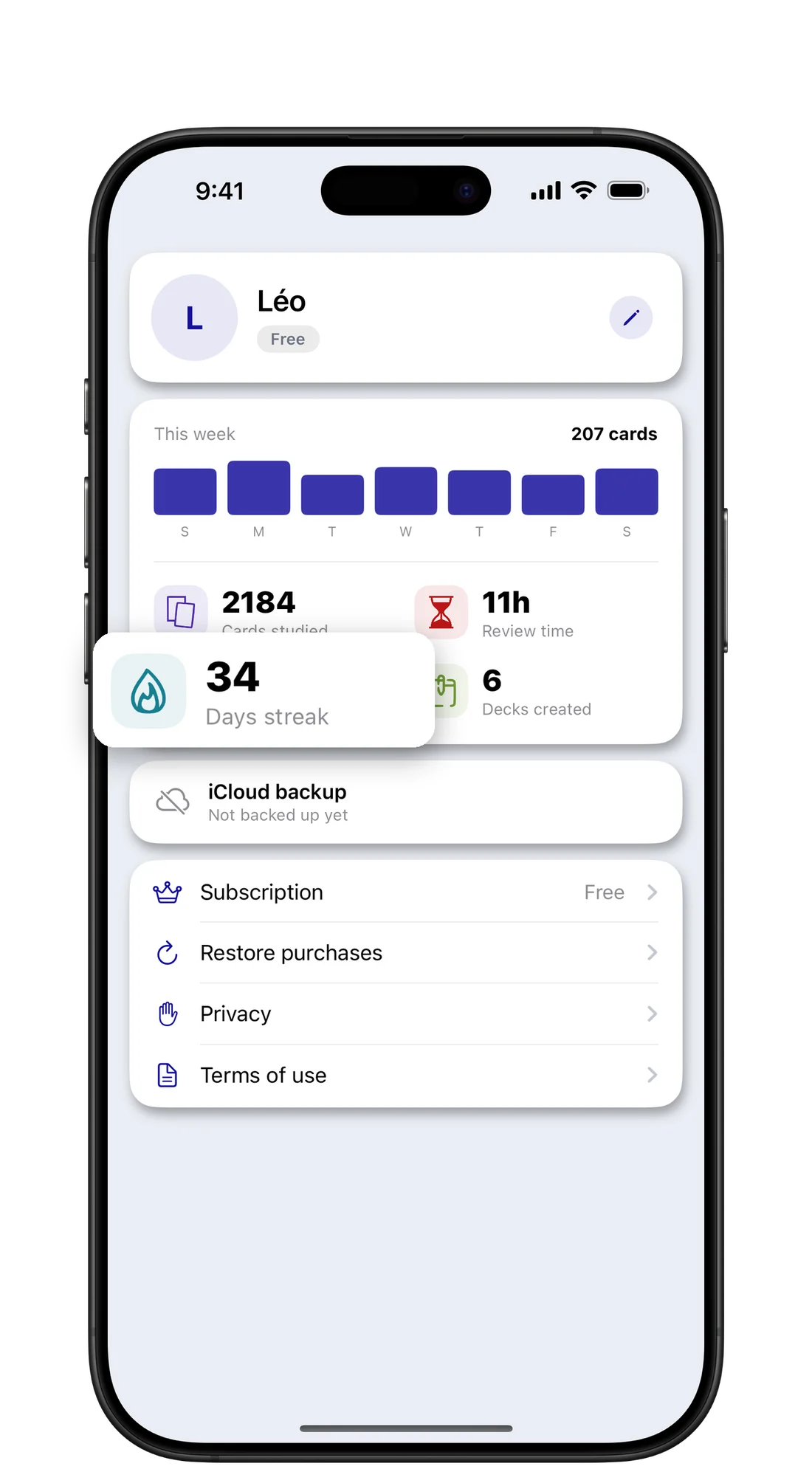
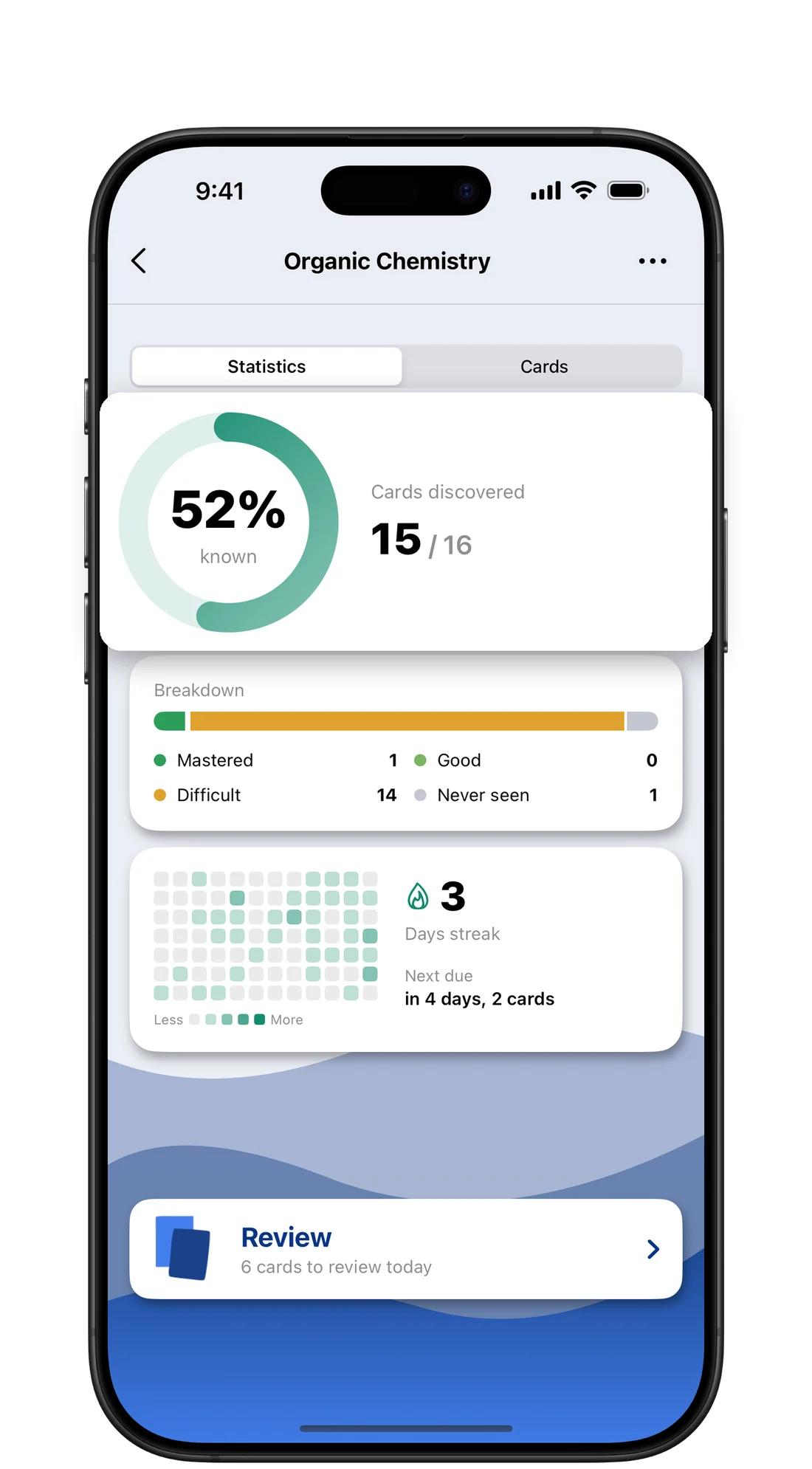
Mastered, difficult and unseen cards for every deck, cards due today, a study activity calendar and your daily streak.
Start on your iPhone, continue on your iPad. Your decks follow you.
English, French, German, Spanish, Portuguese, Japanese and Korean.
No account, no ads. Your documents are never stored after generation.
Without review, most of what you learn fades within days. Each well-timed review resets the curve and makes it flatter.
Trying to remember the answer before flipping strengthens memory far more than rereading. This is the testing effect.
Seeing an idea again at growing intervals makes it stick, while last-night cramming fades within days.
The app combines both: each card comes back when you are about to forget it, neither too early nor too late.
Same principle every time: test yourself and review at the right moment. The difference is how much time you spend making cards and planning reviews.
| Flashcards Master PremiumPremium | Flashcards Master FreeFree | Paper flashcardsPaper | |
|---|---|---|---|
| Card creationCreation | ✓By AI or by handAI or manual | –By hand | –By hand |
| From a PDF | ✓Yes, in one importYes | ✕No | ✕No |
| Review scheduleSchedule | ✓AutomaticAuto | ✓AutomaticAuto | ✕Up to you |
| Reviews per dayReviews / day | ✓Unlimited | –100 | ✓Unlimited |
| Lock apps until you reviewApp lock¹ | ✓Yes (iOS 26.5+)Yes | ✓Yes (iOS 26.5+)Yes | ✕No |
| Statistics and streakStats & streak | ✓Yes | ✓Yes | ✕No |
| Price | $29.99 / year or $5.99 / month | Free | The cost of the cardsCard cost |
¹ App locking requires iOS 26.5 or later.
How does it compare with Anki, Quizlet and other apps? See our comparison of the 7 best AI flashcard apps.
The app is free to download. Premium unlocks AI generation and unlimited reviews.
$0
$29.99 / year
Or $5.99 / month. US prices, adjusted by country and shown in the app before you buy.
Everything you need to know before downloading.
In Flashcards Master, choose "From a PDF", pick your file and the type of content. The AI reads the text of the document and builds a deck of questions and answers in one to two minutes. You can then edit or delete any card.
The app is free to download. The free version lets you create decks by hand and review up to 100 cards a day. Premium adds AI generation and unlimited reviews, for $29.99 a year (with a 7-day free trial) or $5.99 a month in the US. Prices are adjusted by country and shown in the app before any purchase.
FSRS (Free Spaced Repetition Scheduler) is an open-source algorithm that estimates, for each card, when you are likely to forget it. After each answer (Again, Hard, OK, Perfect) it recalculates the next review date so you see the card right before you would forget it.
In Flashcards Master, open Unlock with flashcards, allow Screen Time and choose the apps to block. When you open one of them, a screen asks you to answer a few cards (1 to 20, your choice), then the app unlocks for 5 to 60 minutes. This requires iOS 26.5 or later.
Flashcards Master is designed and developed by Léo Floissac, an independent developer. It was released on the App Store in September 2026, and version 1.1 added unlocking distracting apps by reviewing flashcards.
iPhone and iPad running iOS or iPadOS 18.2 or later, and Android phones running Android 8.0 or later. On iPhone and iPad, decks sync across your devices through iCloud. Locking apps until you review is only available on iPhone. There is no web version yet.
Any PDF: lecture notes, handouts, articles, textbook chapters. Scanned pages are read too, with Apple's on-device text recognition. Password-protected PDFs cannot be opened. Long documents are split automatically.
The interface is available in English, French, German, Spanish, Portuguese, Japanese and Korean. For language learning you can pick a different language for the front and back of each card, for example English and Spanish for vocabulary.
No. The PDF text or your prompt is sent to the AI service only to generate the cards and is not kept. Your decks stay on your device and in your private iCloud, or in your Google backup on Android. The app requires no account and shows no ads.
Import your first PDF and review your cards tonight.